Copy Box
Design Pattern
Problem summary
Users need to easily view and copy preformatted text.
Example
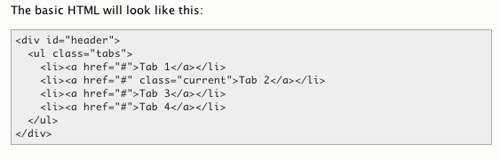
Usage
- Use when you want to display formatted text, which can be easily copied without losing its formatting
- Use when need to display mono space demo code.
- Use when you wish to present information that the user needs to can copy (and later paste into another application)
More examples
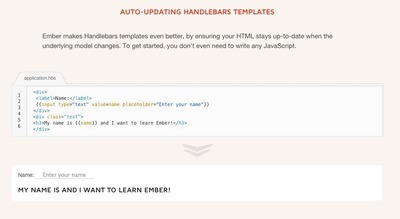
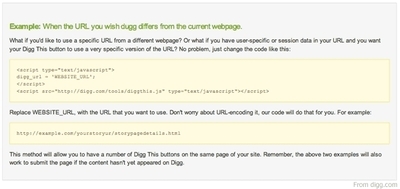
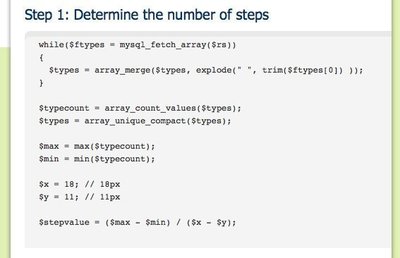
Solution
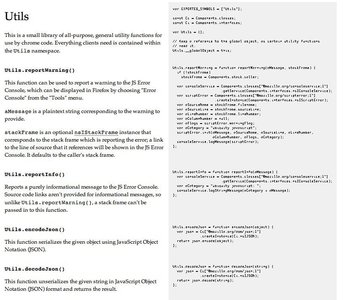
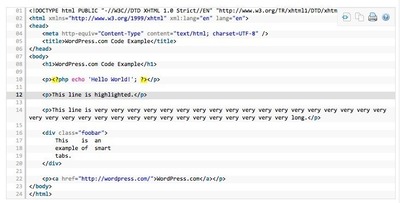
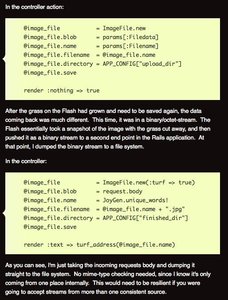
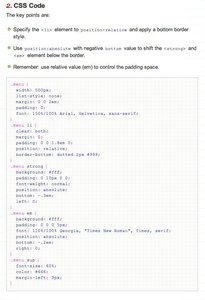
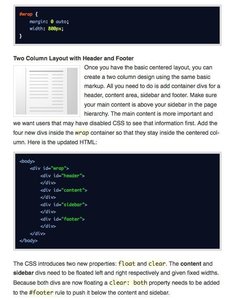
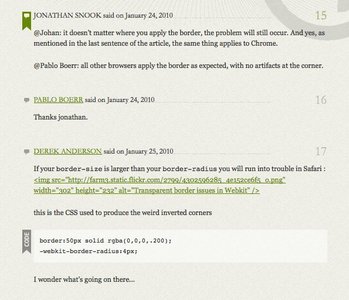
Create a box that has its own style in regards font color, font style, and background color that distinguishes itself from the rest of the page.
To preserve indentation and general formatting of the text box so that it looks like a terminal window or text editor, use a mono-space font: a font that has a fixed width typeface (glyphs have the same width).
As inserting text in raw HTML renders without line breaks and strips repeating spaces, you need to put special tags around the text you want to preserve the original formatting with. One solution is to use the <pre> around the text you want to preserve formatting with – another is to put the text inside a <textarea>.
Rationale
If you just paste ascii formatted text into a HTML file, the user’s browser will format the text and display it all in one line and regardless of how the code looks like in the HTML file as special tags are used in HTML to define line breaks (<br>).
More examples of the Copy Box pattern See all 10 example screenshots
User Interface Design Patterns
- Forms
- Explaining the process
- Community driven
- Tabs
- Jumping in hierarchy
- Menus
- Content
- Gestures
- Tables
- Formatting data
- Images
- Search
- Reputation
- Social interactions
- Shopping
- Increasing frequency
- Guidance
- Registration
Persuasive Design Patterns
- Loss Aversion
- Other cognitive biases
- Scarcity
- Gameplay design
- Fundamentals of rewards
- Gameplay rewards
1 comment
Bally Buisan on Oct 23, 2011
I’d like to know ,ore about patterns of making boxes
Comments have been closed