Feature Spotlight
Design Pattern

Alternate titles: Feature Announcement, What’s New, New Badge, Feature Discovery.
Problem summary
The user never discovers features they haven’t used yet, whether those are new releases or capabilities the product has had for years.
Example
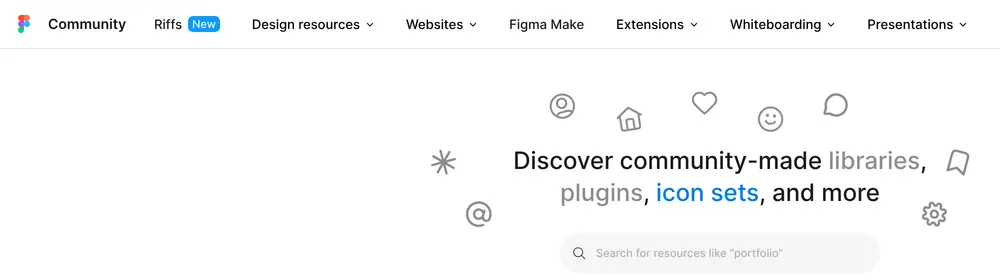
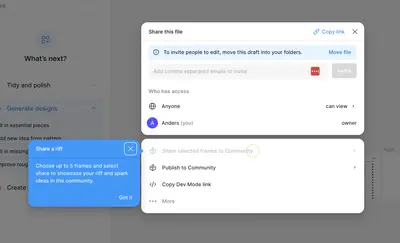
▲ Figma Community marks its newest section, Riffs, with a small “New” badge in the main navigation.
Usage
- Use when a feature is relevant to the user’s current work, and they have not used it yet.
- Use when users keep using a slower workaround for something the product can do directly.
- Use when a new feature changes how existing users work.
- Use when you want onboarding to continue after the first sessions, as users and the product grow.
- Do not use when the feature is minor or relevant to only a few users.
- Do not use when the spotlight would interrupt a task in progress.
The card deck
Find more patterns like Feature Spotlight in the UI Patterns card deck
A collection of 60 User Interface design patterns, presented in a manner easily referenced and used as a brainstorming tool.
Solution
Bring a feature to the user’s attention at the moment it is useful, and match the size of the spotlight to the size of the feature.
Time it to the user’s behavior
The best moment to spotlight a feature is when the user’s behavior shows it would help: after they have formatted a table by hand for the third time, or exported data to do something the product can do itself. A feature shown at that moment explains its own value, which is the idea behind Kairos: the right message at the right moment.
Match the format to the feature
- A contextual hint or hotspot suits a feature in its place in the interface, shown when the user is near it.
- A “New” badge on a menu item or button suits a minor new feature. It is easy to notice and easy to ignore.
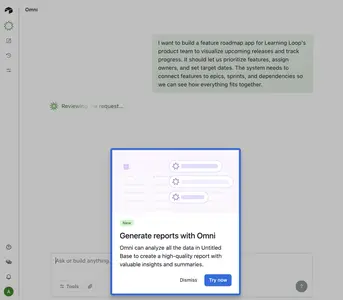
- A short modal suits major changes only. Show it at the start of a session, never in the middle of a task.
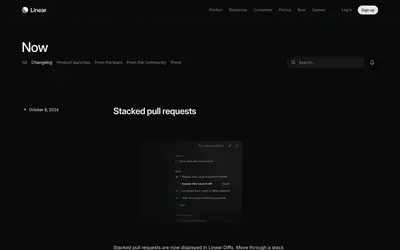
- A “What’s new” page or changelog gives interested users the full list of recent changes, and gives the other formats something to link to.
Target the spotlight
Show each spotlight to the users the feature is relevant to: those who use the related part of the product, or who have been using a workaround the feature replaces. A feature that is new to the product is often old news to some users and unknown to others.
Link straight to the feature
Every spotlight should take the user to the feature itself, ready to try.
Retire it
Remove the badge or hint once the user has tried the feature, or after a few sessions. Permanent “New” labels stop meaning anything.
Rationale
Onboarding usually ends after the first few sessions, but users keep growing and the product keeps changing. Most users only ever learn a fraction of what a product can do. Feature spotlights extend onboarding into continuous onboarding, so users’ capability keeps growing with the product. A spotlight tied to the user’s own work makes the value easy to see, and short, relevant spotlights spark curiosity.
Discussion
New to the product, or new to the user?
A feature announcement is one kind of spotlight: the feature is new to everyone. But for any given user, most undiscovered features are not new at all. Products that only spotlight new releases miss the larger opportunity of showing each user the existing features they have not found yet.
Spotlight fatigue
A modal at every login teaches users to close everything unread, including the spotlights that matter. Use the smallest format that will be noticed, and keep large spotlights rare.
What a good one looks like
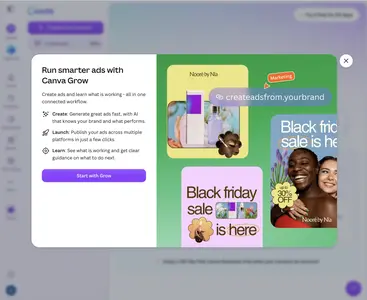
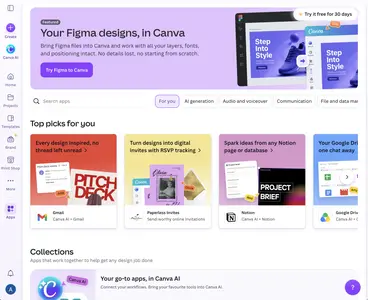
Canva introduces its Grow feature in a modal with a headline, three one-line benefits (create, launch, learn), and a single button, “Start with Grow”. It appears over a screen the user was already using, and has one way forward. Canva’s Apps page does the quieter version: a featured integration at the top and “Top picks for you” below, in the place where users already go to look for new capabilities.
Spotlight, tour, or coachmark
A spotlight points at one feature. A guided tour or coachmarks explain several elements in sequence, and are better kept for the first session. Reaching for a tour every time something new ships turns it into an interruption.
Release notes and spotlights
A changelog lists what changed. A spotlight tells a specific user why a feature matters to them. Write spotlights in terms of the user’s work (“Schedule your update to send automatically”), and lead with that benefit before the feature’s name.
Measuring it
Measure adoption of the spotlighted feature among the users who saw the spotlight, compared with similar users who did not.
More examples of the Feature Spotlight pattern