Onboarding Checklist
Design Pattern
Alternate titles: Getting Started Checklist, Setup Checklist, Onboarding Tasks.
Problem summary
New users don’t know which of the many things they could do will actually lead to value.
Example
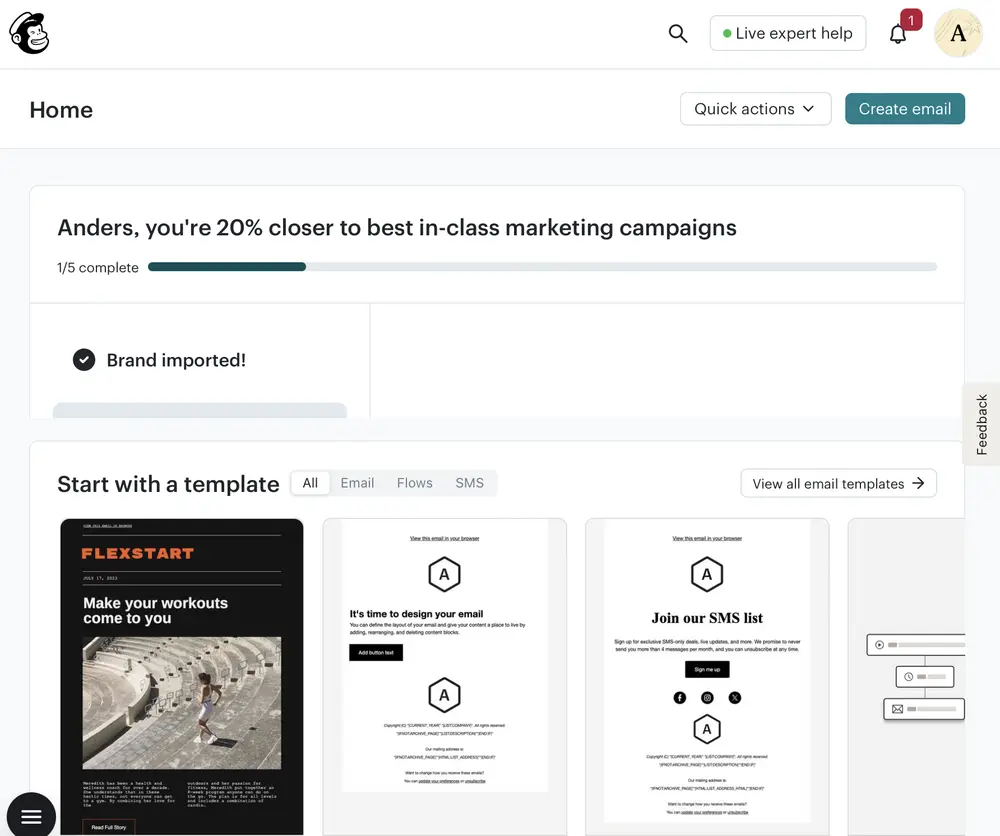
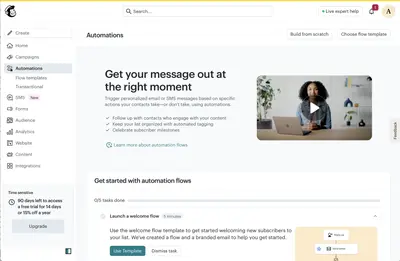
▲ Mailchimp’s home page opens with a checklist headed “You’re 20% closer to best-in-class marketing campaigns”, with a bar and “1/5 complete”. The first task, “Brand imported!”, is already ticked.
Usage
- Use when value depends on a handful of setup and usage actions.
- Use when users will complete them across several sessions.
- Use when you know which actions predict that users stay.
- Do not use when the product can deliver value in a single action.
- Do not use when the checklist would only list features.
The card deck
Find more patterns like Onboarding Checklist in the UI Patterns card deck
A collection of 60 User Interface design patterns, presented in a manner easily referenced and used as a brainstorming tool.
Solution
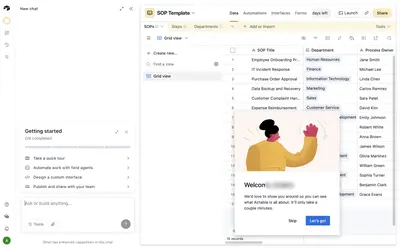
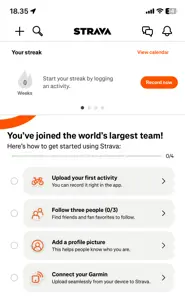
Show a short list of the tasks that lead to value, with progress through them.
Three to seven tasks, phrased as outcomes
Phrase each task as something the user wants (“Launch a welcome flow”), not as a feature (“Visit Automations”). Order the tasks so the earliest produce value quickly, and say roughly how long each takes.
Make every task a shortcut
Each task should take the user straight to where it is done. Mark it complete automatically when the user does it anywhere in the product, not only through the checklist.
Count what is already done
Start with something ticked, such as the account or an imported brand. Progress that has already been made makes the rest feel closer.
Keep it compact and dismissible
Keep the checklist visible but small. Let users dismiss tasks or the whole list, and retire it once it is complete.
Choose the tasks from evidence
Pick tasks by looking at which actions predict retention among your users, not at which actions the business wants.
Rationale
A checklist makes the path to value explicit and finite. Visible progress draws on the goal-gradient effect (effort rises as the goal gets closer) and on endowed progress (a head start makes people more likely to finish). Unfinished items also draw users back, because people tend to remember and resume tasks they have started, the Zeigarnik Effect.
Discussion
From pattern to workshop
If research shows new users struggle to find the first useful action, Learning Loop's behavioral design workshop guide offers a way to diagnose the barrier and compare alternative onboarding designs. The Ideas first, Patterns later exercise helps teams generate ideas before referring to behavioral patterns. A checklist is not automatically the right intervention; validate whether it helps people reach value.
Whose tasks are they?
Checklists that list what the business wants (invite teammates, upgrade) before what the user wants undermine the pattern. Put the tasks that give the user value first. Never mark a task complete that the user has not done.
Checklist, meter, and steps
A checklist lists separate tasks the user can do in any order. A completeness meter shows how close the user is to a goal, often as a percentage. Steps Left shows position in a fixed sequence. Many products combine the first two, as Mailchimp does, with a bar above the list.
Measuring it
Track completion per task, and the retention of users who complete the checklist compared with similar users who don’t. Test causation before you push everyone through it: users who complete a checklist may simply be more motivated.
- Nunes, J. C. & Drèze, X. (2006). The endowed progress effect: How artificial advancement increases effort. Journal of Consumer Research, 32(4), 504–512.