Suggested Prompts
Design Pattern

Alternate titles: Starter Prompts, Prompt Suggestions, Example Prompts.
Problem summary
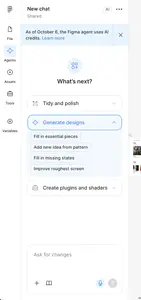
An empty prompt box asks new users to know what the system can do and how to ask for it, before they have any experience with it.
Example
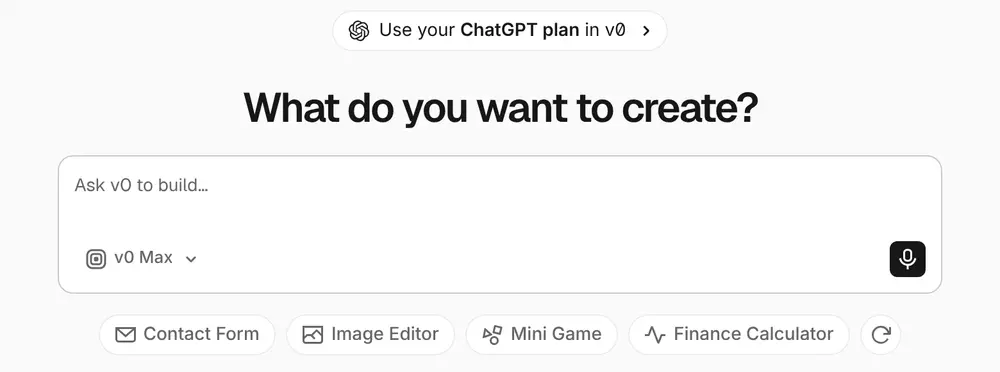
▲ v0 suggests concrete starting points under its prompt box, such as a contact form, an image editor, or a finance calculator, with a button to show different suggestions.
Usage
- Use when the product accepts open-ended, natural-language input, such as an AI assistant, generator, or search.
- Use when new users don’t yet know which requests produce good results.
- Use when you want to show the range of what the product can do without a tour.
- Do not use when the suggestions would be generic and unrelated to the user’s goal.
The card deck
Find more patterns like Suggested Prompts in the UI Patterns card deck
A collection of 60 User Interface design patterns, presented in a manner easily referenced and used as a brainstorming tool.
Solution
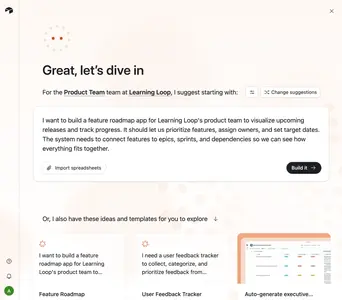
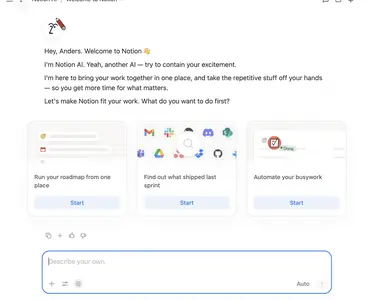
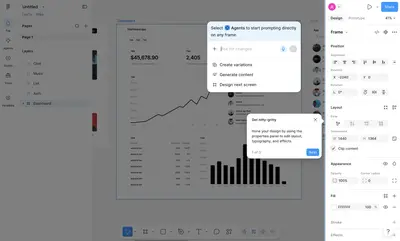
Show a few concrete, clickable example requests in the empty state, next to the prompt box.
Write suggestions as good requests
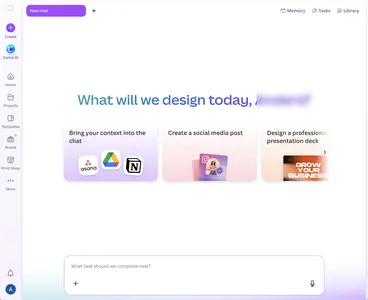
Each suggestion should be a complete request the user could have written, and one that produces a good result: “Summarize this document”, “Draft a reply to the last email”, “Build a contact form”. Users learn how to ask by seeing well-formed requests. Canva AI shows three suggested tasks above an empty prompt field, and one of them, “Bring your context into the chat”, shows the apps that can be connected, so a suggestion also teaches what the system can reach.
Base them on real jobs and context
Pick suggestions from the most common jobs users come to do, or from the user’s current context: the document they have open, the data they have connected, the role they gave during signup.
Let users edit before sending
Clicking a suggestion can fill the prompt box instead of sending immediately, so users can adapt it to their situation and learn that the request is theirs to change.
Keep them fresh
Rotate or refresh suggestions, and update them as the user’s work changes. A small “refresh” control lets curious users see more without crowding the screen.
Rationale
An empty prompt box is a recall task: the user has to come up with a request from nothing. Suggested prompts turn it into recognition, which is far easier, as Recognition over Recall describes. It is the AI version of an Input Prompt, which hints at what to type in a field. They also teach, by example, what a well-formed request looks like and what the system is good at.
Discussion
Showing off versus helping
Suggestions are tempting places to show off impressive capabilities. Users get more from suggestions that match what they came to do, even if those are less spectacular.
From suggestions to skill
Suggested prompts are a starting point. Pair them with feedback on results and Refinement Controls, so users learn to steer the system and stop depending on the suggestions. Show where answers come from with Source Citations so users learn when to trust them.
Measuring it
Track how many first-time users start from a suggestion, and the quality and reuse of their first results compared with users who typed their own first request.
- Amershi, S. et al. (2019). Guidelines for Human-AI Interaction. Proceedings of CHI 2019.
More examples of the Suggested Prompts pattern