Permission Priming
Design Pattern

Alternate titles: Pre-permission Prompt, Permission Rationale, Soft Ask.
Problem summary
The system dialog for notifications, location or camera gives no context, and users who deny it are hard to ask again.
Example
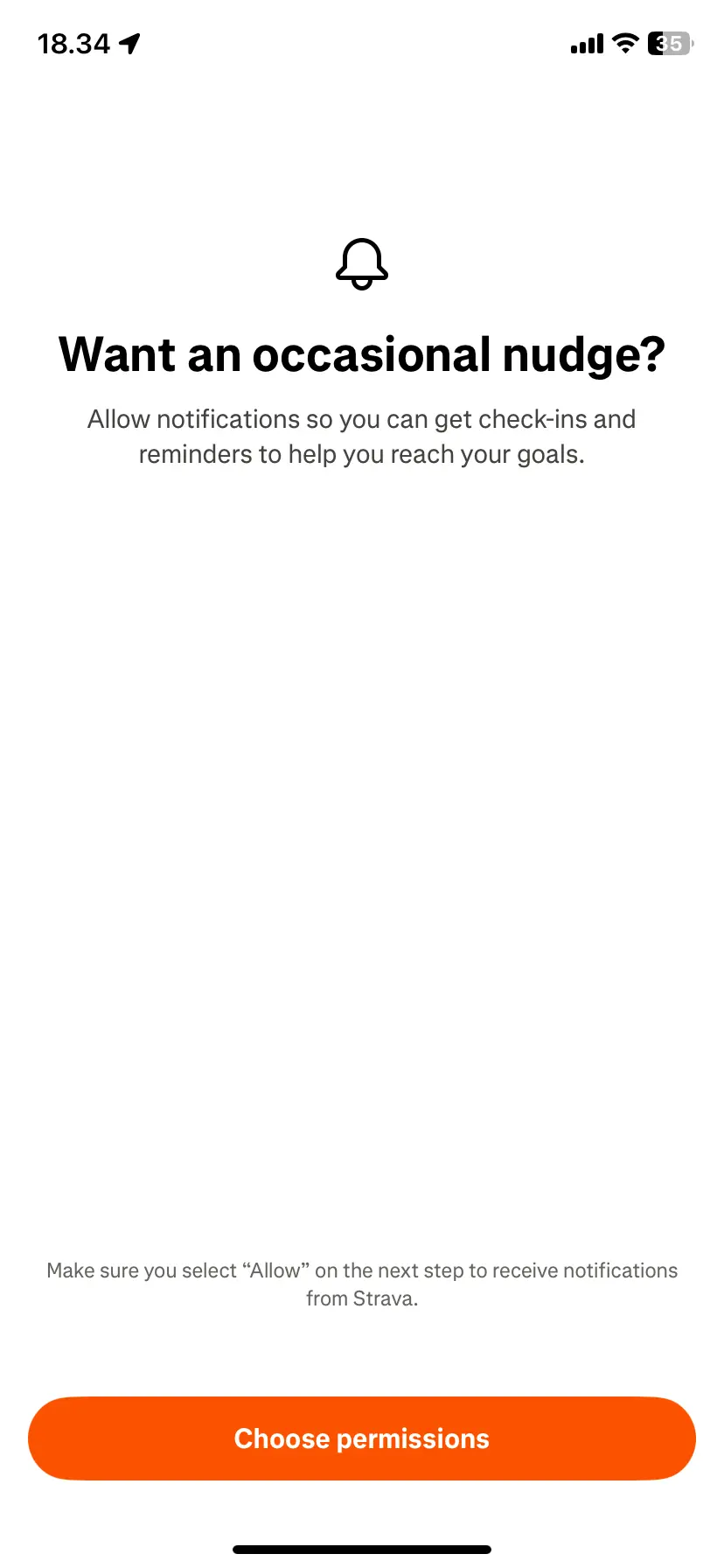
▲ Strava’s “Want an occasional nudge?” screen explains notifications in one sentence, prepares the user for the system dialog (“Make sure you select ‘Allow’ on the next step”), and uses a button that says “Choose permissions”. No decline option is shown, so the user can only continue to the system dialog.
Usage
- Use when a feature needs a system permission to work, such as notifications, location or the camera.
- Use when the benefit of the permission is not obvious at the moment of asking.
- Do not use when the permission is not needed for what the user is doing right now.
The card deck
Find more patterns like Permission Priming in the UI Patterns card deck
A collection of 60 User Interface design patterns, presented in a manner easily referenced and used as a brainstorming tool.
Solution
Show the product’s own screen first, explaining in one sentence what the permission gives the user, and only then trigger the system dialog.
Ask when it matters
Ask at the moment the user reaches for the feature that needs the permission, not at launch. A request that arrives with a reason the user can feel, “Get a reminder when your team replies”, gets a better answer than one that arrives before the user has seen anything.
Explain the benefit in one sentence
Say what the user gets, not what the app needs. Strava’s screen asks “Want an occasional nudge?” and follows with a single sentence: “Allow notifications so you can get check-ins and reminders to help you reach your goals.” The word “occasional” also tells users how much to expect.
Prepare the user for the system dialog
The system dialog looks the same in every app and cannot be changed, so tell users what to expect. Strava adds “Make sure you select ‘Allow’ on the next step to receive notifications from Strava” above a button that says “Choose permissions”, so the button names what it does and the next screen is no surprise.
Make declining easy
Include a secondary choice such as “Not now”, and let users continue if they decline. Offer the permission again later, in context. If they denied it at system level, explain how to enable it in settings.
Rationale
The system dialog can usually be shown once. If users deny it, the product loses the permission, and a denial is hard to reverse. A first screen of your own is a soft ask: users who say no to it have not used up the system prompt.
Timing and context raise motivation at the moment of the decision. This is the idea of Kairos: the right moment for a request. A reason the user can understand and a benefit they want makes a yes more likely than a bare dialog does.
Discussion
Priming is not a disguise
A priming screen that imitates the system dialog, or that hides the way to decline, trades a short-term gain for lasting distrust. Make clear that it is your own screen, and keep the decline option visible.
Early or in context
Strava asks for notifications at the end of its sign-up flow, before the user has recorded an activity. That is simple to build, and the benefit (“check-ins and reminders”) is stated in general terms. Asking after the user’s first activity, with a reminder tied to what they just did, gives a more concrete reason.
Tie it to what the user just decided
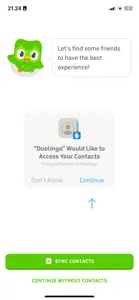
Duolingo asks for notifications right after the user has set a daily goal, and the priming screen picks up that thread: “I’ll remind you to practice so it becomes a habit!” The reason follows from the choice the user has just made, which makes the request easier to accept than one that arrives out of the blue. The system dialog then appears over the priming screen, with an arrow pointing at “Allow”.
Measuring it
Track the permission grant rate, and use of the feature that needed the permission.
More examples of the Permission Priming pattern