Role-based Invite
Design Pattern
Alternate titles: Invite with Permissions, Role Picker, Access Levels.
Problem summary
Senders hesitate to invite people because they don’t know what access they are giving, and recipients land in an experience designed for someone else.
Example
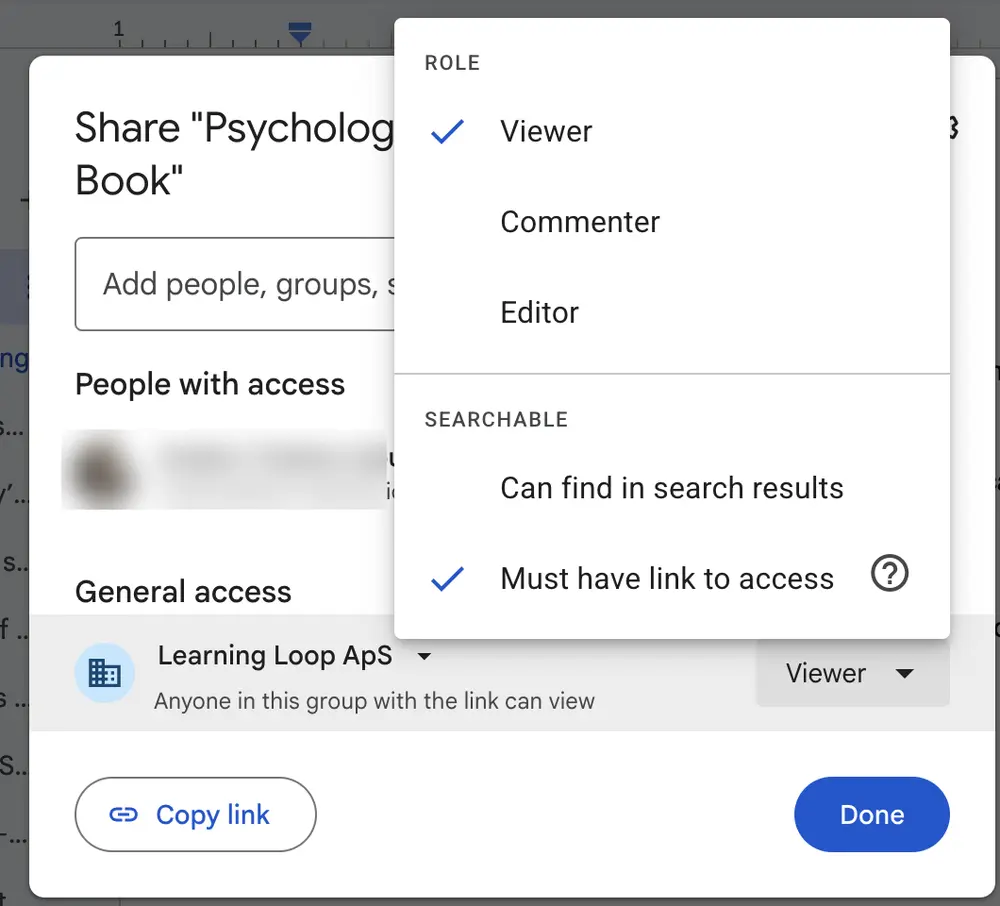
▲ Google Docs lets the sender choose a role for link access, “Viewer”, “Commenter” or “Editor”, and whether the file can be found in search or only by people with the link.
Usage
- Use when people take different roles, such as viewer, commenter, editor, or admin.
- Use when sharing too much would be a real risk.
- Do not use when all users have the same role.
The card deck
Find more patterns like Role-based Invite in the UI Patterns card deck
A collection of 60 User Interface design patterns, presented in a manner easily referenced and used as a brainstorming tool.
Solution
Let the sender choose what each invited person can see and do, in the invite dialog itself.
Offer a few clearly named roles
Let the sender pick a role, with a one-line explanation of what it allows (“Can comment, can’t edit”). Three or four roles are enough for most products, and the names should describe what the person can do.
Show who has access, and how
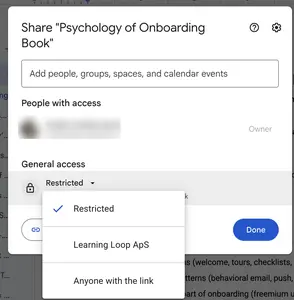
List the people who already have access with their roles, and show a separate setting for people who only have the link, with its own role and a clear statement of who can open it.
Default to the least access
Preselect the lowest role that lets the recipient do the expected task. Granting more should be a deliberate choice, which is what Good Defaults means for permissions.
Tailor the recipient’s first experience to the role
Use the chosen role to decide where the recipient lands: a reviewer on the item to review, an admin on settings and permissions.
Rationale
A clear preview of what each role allows reduces the sender’s uncertainty, which is often the reason an invitation is never sent. Role-specific first experiences give each recipient the context they need instead of an interface built for someone else.
Discussion
Defaults that grant too much
Defaults that grant more access than needed erode trust the first time a sender notices. Default to the least access that lets the recipient do the expected task.
Link access is a role too
Sharing by link is a role choice, with its own audience (restricted, an organization, anyone) and its own level (viewer, commenter, editor). Show both in the same place, so the sender sees the whole picture.
Invites and guests
A role-based invite works with Invite Friends, which is about getting people to send invitations at all. For recipients who only need to look at one thing, Guest Access lets them in without creating an account, and a viewer role is the natural setting for it.
Measuring it
Track invitation completion rate, and first-action rate by role.
More examples of the Role-based Invite pattern