Data Import
Design Pattern

Alternate titles: Import Tool, Data Migration, Bring Your Data.
Problem summary
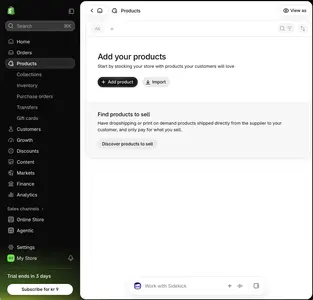
Users switching from another tool face an empty product, and the effort of recreating their work is a strong reason to stay where they are.
Example
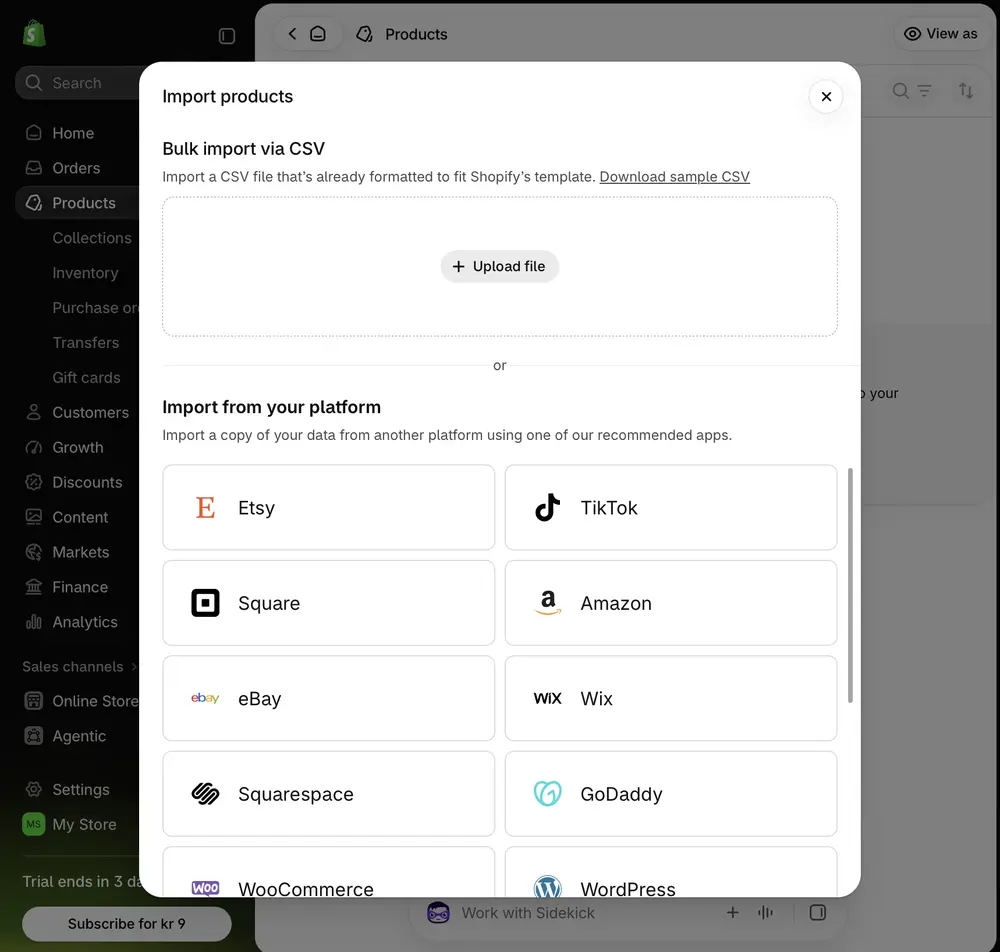
▲ Shopify’s import dialog offers a CSV upload with a sample file to download. Below it is a list of platforms to import from, such as Etsy, TikTok, Square, Amazon, eBay and Wix.
Usage
- Use when your users typically switch from spreadsheets or a competing product.
- Use when the product’s value depends on the user’s own data.
- Do not use when imports are so complex that a broken import would damage trust. Start with a guided manual path instead.
The card deck
Find more patterns like Data Import in the UI Patterns card deck
A collection of 60 User Interface design patterns, presented in a manner easily referenced and used as a brainstorming tool.
Solution
Offer import as a first-class starting point, alongside starting from scratch or from a template.
Support the sources users come from
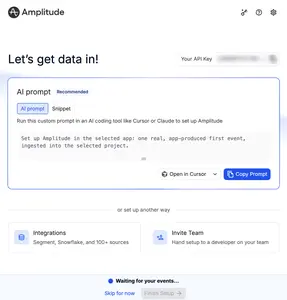
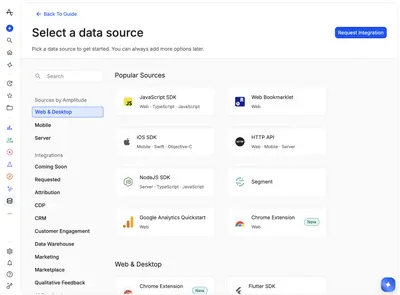
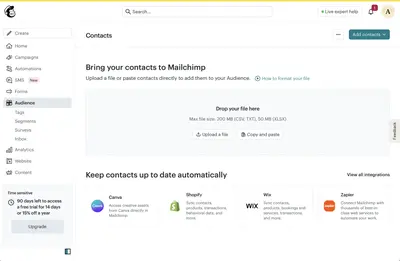
Accept the formats and tools your users actually use, such as CSV and Excel files and the leading competitors. Let them drop a file, pick one, or paste the data in. Amplitude’s “Select a data source” screen groups sources by platform and category, lists popular ones first, has a search field, and offers “Request Integration” for the ones that are missing.
Ask where the data comes from
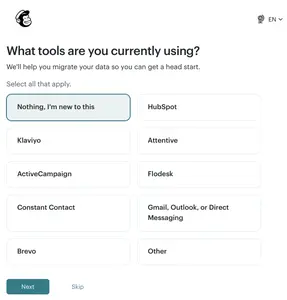
A question during setup (“What tools are you currently using?”) lets the product offer the right import path, and signals that migration is expected.
Preview before committing
Show how the imported items will look before the import runs. Map fields automatically where possible, and let users fix mappings.
Handle size and failure well
Run large imports in the background and tell the user when they finish. Report clearly what was imported, what was skipped, and why. Make imports reversible.
Keep the data up to date
If the user will keep working in the other tool, offer a connected account that syncs the data instead of a one-time import.
Rationale
Import removes the largest part of the switching cost and fills the product with material the user cares about. People value what they already have and have worked on, as the Endowment Effect describes, and the effort already spent in the old tool is a sunk cost that keeps them from leaving. That makes first value both faster and more relevant, because the user sees their own work in the new tool.
Discussion
Silent failures
Partial imports that fail without saying so do more harm than no import. Show a summary of what happened, and give users a way to retry the items that failed.
Import versus sync
An import copies data once. A connected account keeps two systems in step. Make clear to users which one they are choosing, and what happens to the data in each place afterward.
Measuring it
Track import completion rate, error rate, and the activation of importing users compared with users who start empty.
More examples of the Data Import pattern