Smart Prefill
Design Pattern

Alternate titles: Autofill, Auto-detection, Prefilled Fields.
Problem summary
Setup asks users to type information the product could already know, such as their name, company, language, or time zone.
Example
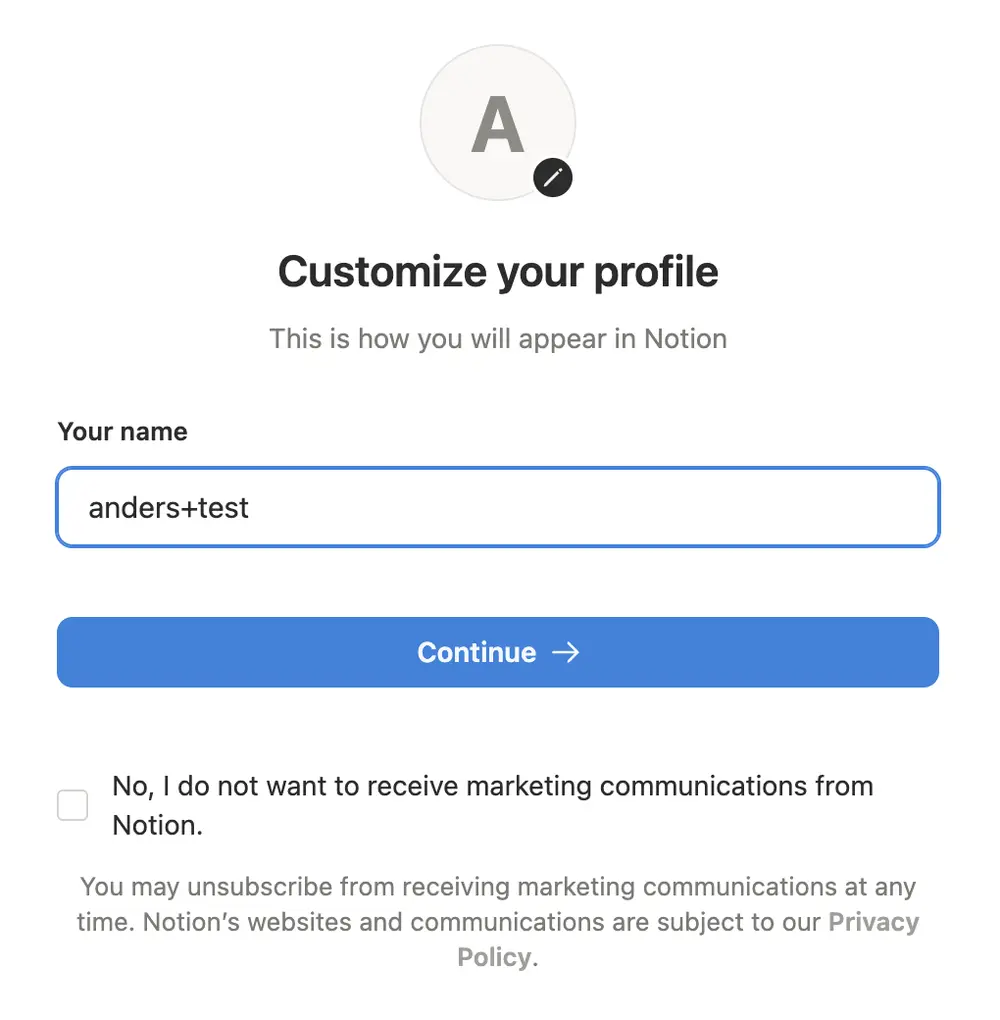
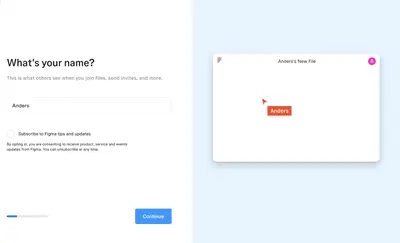
▲ Notion fills in the name on the profile step from the signup email address. Here the alias in the email shows up in the name, which is why a prefilled field must be checked and stay editable.
Usage
- Use when reliable signals exist: a work email domain, a social login profile, device settings, or location.
- Use when the inferred value is easy to check and correct.
- Use when typing is costly, for example on a phone.
- Do not use when the inference is unreliable or sensitive.
- Do not use when users would be surprised that the product knows the information.
The card deck
Find more patterns like Smart Prefill in the UI Patterns card deck
A collection of 60 User Interface design patterns, presented in a manner easily referenced and used as a brainstorming tool.
Solution
Fill in the fields with what the product can infer, and let the user confirm or change them.
Use signals the user expects you to have
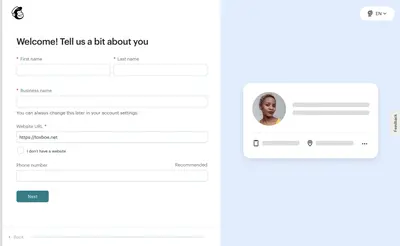
Derive the company name from a work email domain, language and time zone from the device, and name and photo from a social login. Use only signals the user would expect the product to have, and be ready to explain where a value came from.
Show what you filled in
Present inferred values for confirmation (“We set your time zone to Central European Time. Change.”), and mark them as detected. Never submit inferred data on the user’s behalf without showing it.
Make every value easy to change
A prefilled field should look and work like any other field. Users who find the guess wrong must be able to correct it in one step.
Check the guess before showing it
Clean inferred values before showing them. A name taken from the part of an email address before the @ sign needs the same care as any other data: strip tags and aliases, and fix capitalization.
Rationale
Confirming takes less effort than typing, and an accurate guess signals that the product is paying attention. Each field the user does not have to fill in makes setup shorter and lowers the chance that they abandon it.
Prefilled fields work like Good Defaults: most people leave a preset value as it is, the tendency described by Status Quo Bias. That is why the value has to be right, and why defaults that change who gets access need extra care.
Discussion
Wrong guesses cost trust
A wrong guess is worse than an empty field, because the user has to notice and correct it. A name taken from the part of an email address before the @ sign comes out wrong when the address uses an alias with a plus sign. One product we looked at filled in the alias as the user’s name, while another removed it and capitalized the rest. Prefilled values need a sanity check, and the field must stay editable.
Defaults that change who has access
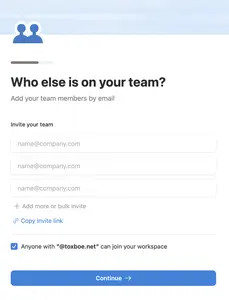
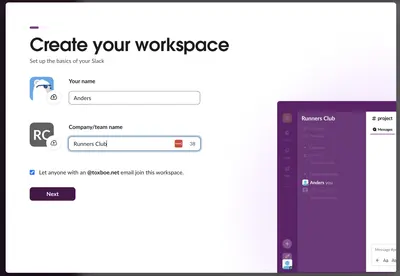
Some prefilled settings do more than save typing. Both Slack and Notion offer a pre-checked option that lets anyone with the company’s email domain join the new workspace. That may be what the user wants, but it widens access, so say clearly what it does and make it easy to uncheck.
Invasive inferences
Users are comfortable with a time zone or a company name taken from the email domain. They are less comfortable when the product shows it knows their location, employer, or contacts without being told how. Explain the source of anything that could surprise them.
Measuring it
Track how often prefilled values are edited, and the setup completion time. A value that is edited most of the time is a guess you should stop making.