Context Setup
Design Pattern
Alternate titles: AI Context Setup, Custom Instructions, Memory Setup, Project Knowledge.
Problem summary
An AI assistant gives generic answers until it knows something about the user and their work, but users don’t know what it needs, and handing over data feels risky.
Example
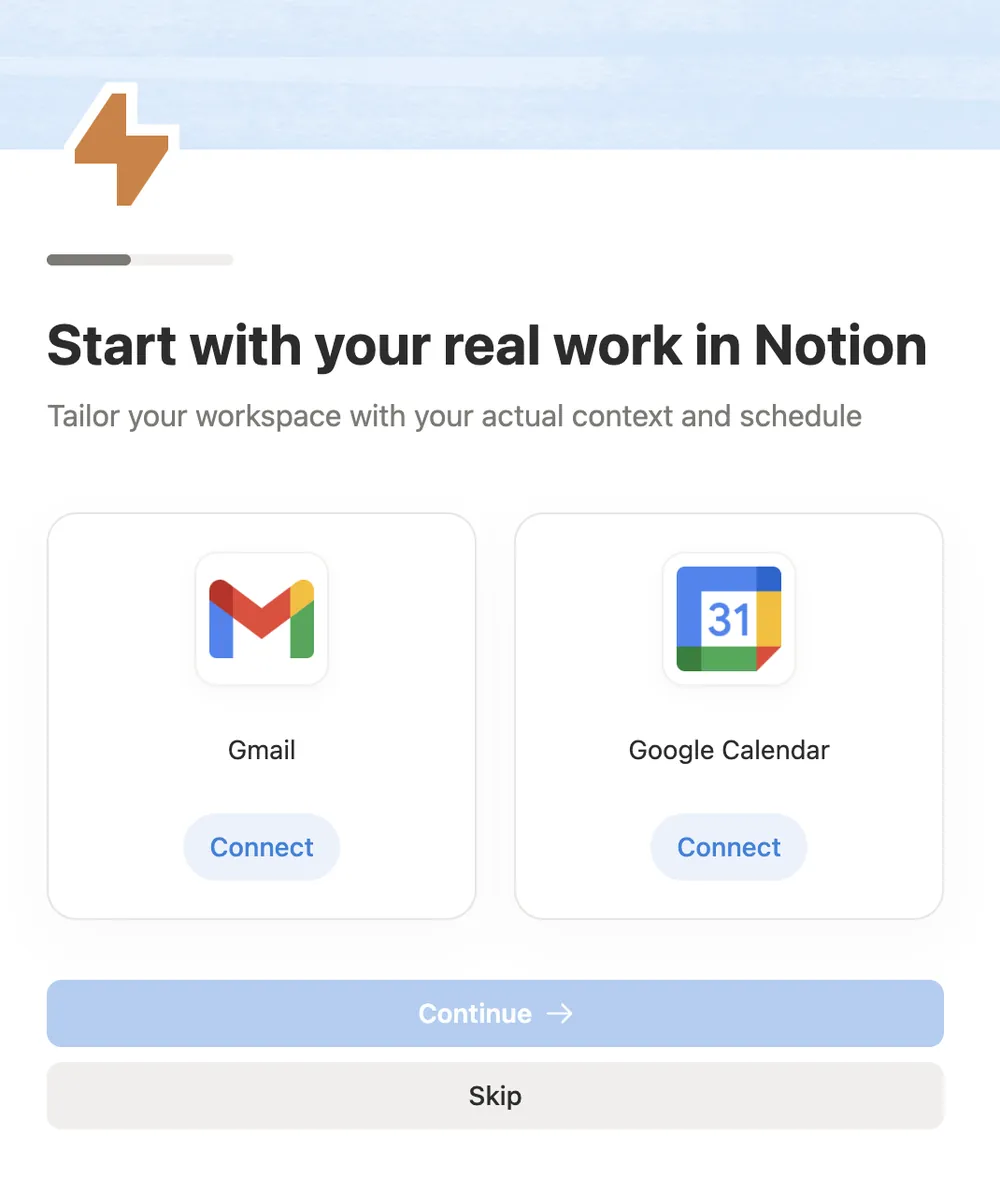
▲ During onboarding, Notion asks to connect Gmail and Google Calendar and says why: “Tailor your workspace with your actual context and schedule”. Each source has its own Connect button, and Skip is always there.
Usage
- Use when the quality of the AI’s output depends on knowing the user’s work: their documents, role, style, calendar, or past decisions.
- Use when the same context would otherwise have to be repeated in every prompt.
- Use when users can understand and control what the assistant reads and remembers.
- Do not use when the assistant produces good first results without any context. Let users get value first, and ask for context when it would make the next result better.
- Do not use when you can’t say clearly what will be read, stored, or used for.
The card deck
Find more patterns like Context Setup in the UI Patterns card deck
A collection of 60 User Interface design patterns, presented in a manner easily referenced and used as a brainstorming tool.
Solution
Let the assistant ask for the context it needs, in a short, skippable step, and say what it will read and why.
Ask for what changes the result
Ask only for context that makes a visible difference to the next answer: a few lines about the user’s role and goals, a file or folder to work from, a style to write in, or a tool to read from. Phrase each request as the benefit: “Add your brand guidelines so drafts match your style.”
Say what it reads, and why
Before anything is read, state in plain words what the assistant will access, what it will keep, and what it will use it for. Name what it will not do, for example “It won’t send anything on your behalf.”
Always offer a skip
Let users skip each request and still use the assistant. Say what they will miss (“Answers will be more general”) and where they can add the context later.
Show the difference
After the user adds context, show it at work in the next answer: “Based on your Q3 plan…”. Seeing the difference makes the effort worth it and shows what was used.
Keep it visible and editable
Keep everything the assistant has been given in one place: instructions, remembered facts, attached files, and connected sources. Let the user see, edit, and remove each item, and pause memory when they want to.
Rationale
The first useful answer from an assistant depends on context the user hasn’t given yet, and a short setup step gets it before the user decides the assistant is generic. Asking openly makes the request easier to accept: people agree to requests more readily when a reason is given (Langer, Blank & Chanowitz, 1978), and here the reason is real and specific. It also follows design guidance for human-AI interaction, which recommends making clear why the system did what it did, showing how the user’s actions will change its future behavior, and letting users customize what it monitors and how it behaves (Amershi et al., 2019).
Discussion
Context setup or connected accounts
Connected Accounts links the product to the user’s other tools so it can read data and take actions there. It is often one part of context setup, but context setup is broader: it also covers instructions the user writes, files they attach, and what the assistant remembers between conversations. And where connected accounts is about the connection, context setup is about what the assistant does with it, so it needs to say what it reads and show where it was used.
Context setup or personalization form
A Personalization Form asks a few questions to choose the user’s path through onboarding, and the answers are used once. Context setup gives the assistant material it keeps using in every answer, and the user can return to it to change it. A conversational setup can do both, but say which answers shape the path and which ones the assistant will remember.
Context setup and smart prefill
Smart Prefill fills fields from data the product already has, without asking. Context setup asks first. When the assistant reads the user’s site, calendar, or workspace on its own, it is closer to prefill and still needs to say what it read.
Examples in the wild
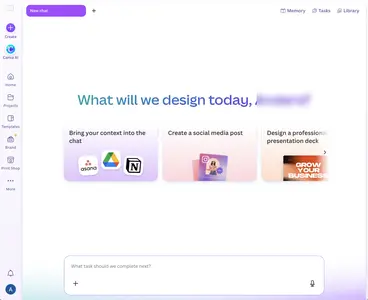
Notion asks for access to Gmail and Google Calendar during onboarding with the reason, “Tailor your workspace with your actual context and schedule”, and a Skip button. Canva’s AI home asks users to “Bring your context into the chat”. See Onboarding Is Becoming a Conversation.
Asking for too much
Asking for every tool and document “so the AI knows you” is the same mistake as broad permissions requested just in case. Ask for the first source that improves the next answer, and ask again when the user reaches a task that needs more. Never make access to the user’s data the price of using the assistant at all.
Measuring it
Track the share of users who add each kind of context, the quality of answers with and without it (rated, or measured by how often users edit or regenerate them), and how often users remove items or turn memory off. A high removal rate means users were surprised by what was used.
- Amershi, S., Weld, D., Vorvoreanu, M., Fourney, A., Nushi, B., Collisson, P., Suh, J., Iqbal, S., Bennett, P. N., Inkpen, K., Teevan, J., Kikin-Gil, R., & Horvitz, E. (2019). Guidelines for human-AI interaction. Proceedings of the 2019 CHI Conference on Human Factors in Computing Systems, 1–13. https://doi.org/10.1145/3290605.3300233
- Langer, E. J., Blank, A., & Chanowitz, B. (1978). The mindlessness of ostensibly thoughtful action: The role of “placebic” information in interpersonal interaction. Journal of Personality and Social Psychology, 36(6), 635–642. https://doi.org/10.1037/0022-3514.36.6.635
More examples of the Context Setup pattern