Tagging
Design Pattern
Problem summary
Items need to be labelled, categorized, and organized using keywords that describe them.
Example
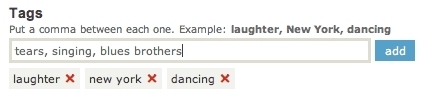
▲ When adding tags to a video at Vimeo, tags are separated by commas, and each tag are upon submission added to a horizontal line below the input field. Each tag can easily be removed separately.
Usage
- Use when the content on your website is possibly mapped into multiple categories and does not necessarily only fit into one hierarchical category.
- Use when you want users to contribute data to your website and let them organize their contributed data themselves.

This card is part of the UI Patterns printed card deck
A collection of 60 User Interface design patterns, presented in a manner easily referenced and used as a brainstorming tool.
Get your deck!More examples





Solution
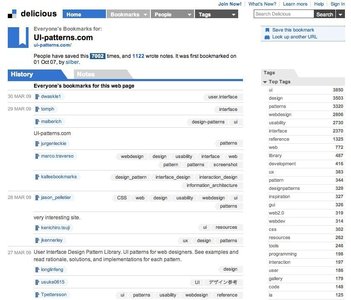
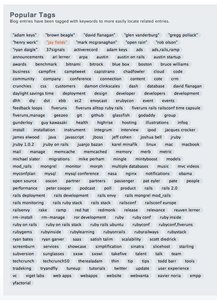
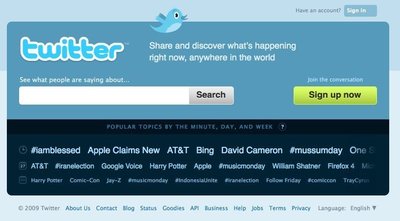
Let users associate multiple topics with a piece of content. Allow users to add appropriate keywords to categorize their own content in a non-hierarchical way. Let users use hashtags to integrate tagging into the content itself.
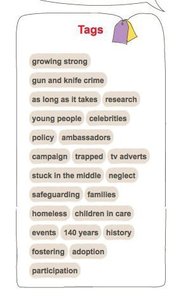
Allow keywords to be associated with items on a website/application such as blog articles, ecommerce products and media. Use terms that categorically describe these items. Permit these items to be found in a search using these keywords. Let contributors of information add keywords to the content they submit. Keywords can be displayed as links that aid in finding items with matching keywords.
Rationale
Tagging helps make it easier for users to find their own content and for their peers to discover content related to their interests.
Tags are relevant keywords associated with or assigned to a piece of information. Tags are often used on social websites, where users can upload their own content. Here, tags are used to let users organize and categorize their own data in the public sphere. In this way, tags can be seen as a bottom-up categorization of data rather than a top-down categorization of data, where the creators of the site define the hierarchy data is submitted to.
More examples of the Tagging pattern See all 18 example screenshots
User Interface Design Patterns
- Forms
- Explaining the process
- Community driven
- Tabs
- Jumping in hierarchy
- Menus
- Content
- Gestures
- Tables
- Formatting data
- Images
- Search
- Reputation
- Social interactions
- Shopping
- Increasing frequency
- Guidance
- Registration
Persuasive Design Patterns
- Loss Aversion
- Other cognitive biases
- Scarcity
- Gameplay design
- Fundamentals of rewards
- Gameplay rewards
1 comment
Jasper Kennis on Mar 20, 2008
“Tags are relevant keywords associated with or assigned to a piece of information.” The problem is, who chooses when a certain tag Ãs indeed relevant and when it isn’t. Using the tag “css” for every article that has the word css in it might just result in 300 articles with the same tag attached to it. But if we only take those articles that are specifically about css, we might get a nice small list, containing for css articles, but not the one I was looking for. A Google like search system, based on clicks for example, and a well chosen list of “relevant articles”, maybe supported by “other people who liked this article also liked this and that”, will do the job better. I don’t like tags.
Comments have been closed