Preview
Design Pattern
Alternate titles: Live Preview.
Problem summary
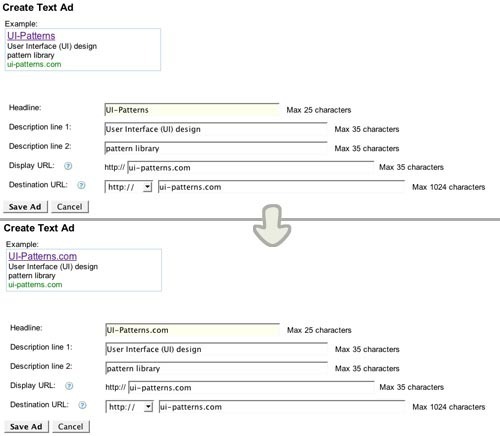
The user wants to check how changes in form fields affect an end result as quickly as possible.
Example
Usage
- Use when you want to provide the user with a real-time preview of what he or she is creating
- Use when it is hard for the user to comprehend how the final output will be without having a preview to reference
- Do not use when the input is straightforward and the resulting output does not depend on a specific layout
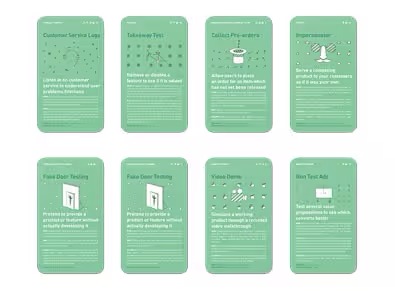
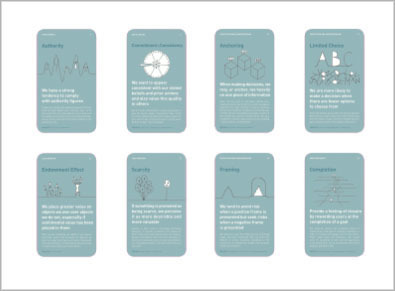
This card is part of the UI Patterns printed card deck
A collection of 60 User Interface design patterns, presented in a manner easily referenced and used as a brainstorming tool.
Get your deck!More examples
Solution
Let users preview consequences of an action before committing to it.
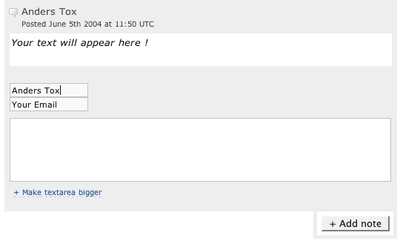
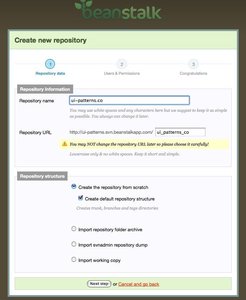
Update a preview of what modifying a form will result in throughout the entire interaction with the form. Instead of waiting for the user to submit the form, the changes are shown immediately in a preview. Each user event of significance results in a browser-side processing.
Rationale
Previews make it easier for users to decide whether or not to commit to a change and thus invite safe exploration and playful creativity. Show feedback immediately in live previews to further spark fun, play, and exploration.
The result is increased interactivity. The user does not need to wait for page reload on a form submit to find out whether data was inputted correctly into the form. The feedback is immediate.
More examples of the Preview pattern See all 3 example screenshots
User Interface Design Patterns
- Forms
- Explaining the process
- Community driven
- Tabs
- Jumping in hierarchy
- Menus
- Content
- Gestures
- Tables
- Formatting data
- Images
- Search
- Reputation
- Social interactions
- Shopping
- Increasing frequency
- Guidance
- Registration
Persuasive Design Patterns
- Loss Aversion
- Other cognitive biases
- Scarcity
- Gameplay design
- Fundamentals of rewards
- Gameplay rewards
4 comments
Jasper Kennis on Mar 20, 2008
One of the best forms of feedback ánd feed forward there is. It takes away the doubt about the result of what your doing.
PrabhakaranG on Jun 24, 2008
Hi Anders Toxboe, you have done a wonderful job here. I like the way it’s presented with the examples & references that you have provided. I have come across some websites, where they publish as if they have founded it, but in this case, you seem to be very honest & intelligent.
Just a clarification, have you ever designed this pattern using JS or something else. I wish you should keep investigating & put your thoughts how we can do this better. By this way you can showcase your creativity to the world.
Wish you all the best.
Warm Regards
PrabhakaranG
Anders Toxboe on Jun 24, 2008
PrabhakaranG:
Thank you for the nice words.
Yes, I have implemented this pattern before using javascript. It’s pretty simple → add an onchange event listener to an < input > field and use the current value (this.value) to update the contents of another element.
Rahul Mohan on May 23, 2011
A very good example of this is available in www.stackoverflow.com. When one types a response a box below shows exactly how it is going to look on the site. Very useful pattern.
Comments have been closed